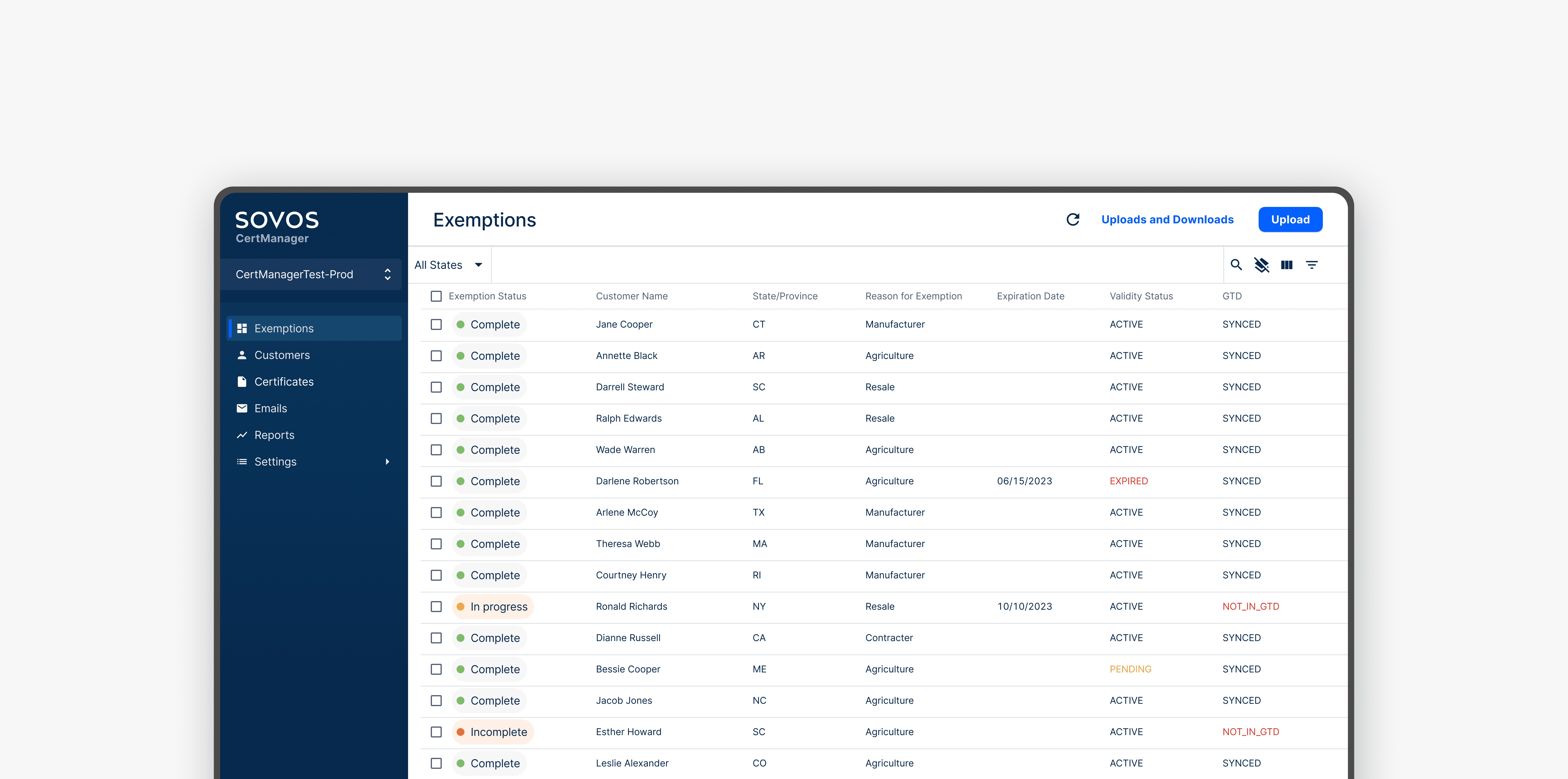
Sovos CertManager - Tax Exemption
Reduced 50% of data joins and shortened data load time by 33%.
Duration
Team
Tools
Disciplines
4 weeks
Senior UX Designer
UX Designer (Me)
Product Owner
Software Engineer
Figma/Figjam
Dovetail
SurveyMonkey
Pendo
UX Research
Product Strategy
Visual Design
THE PROBLEM
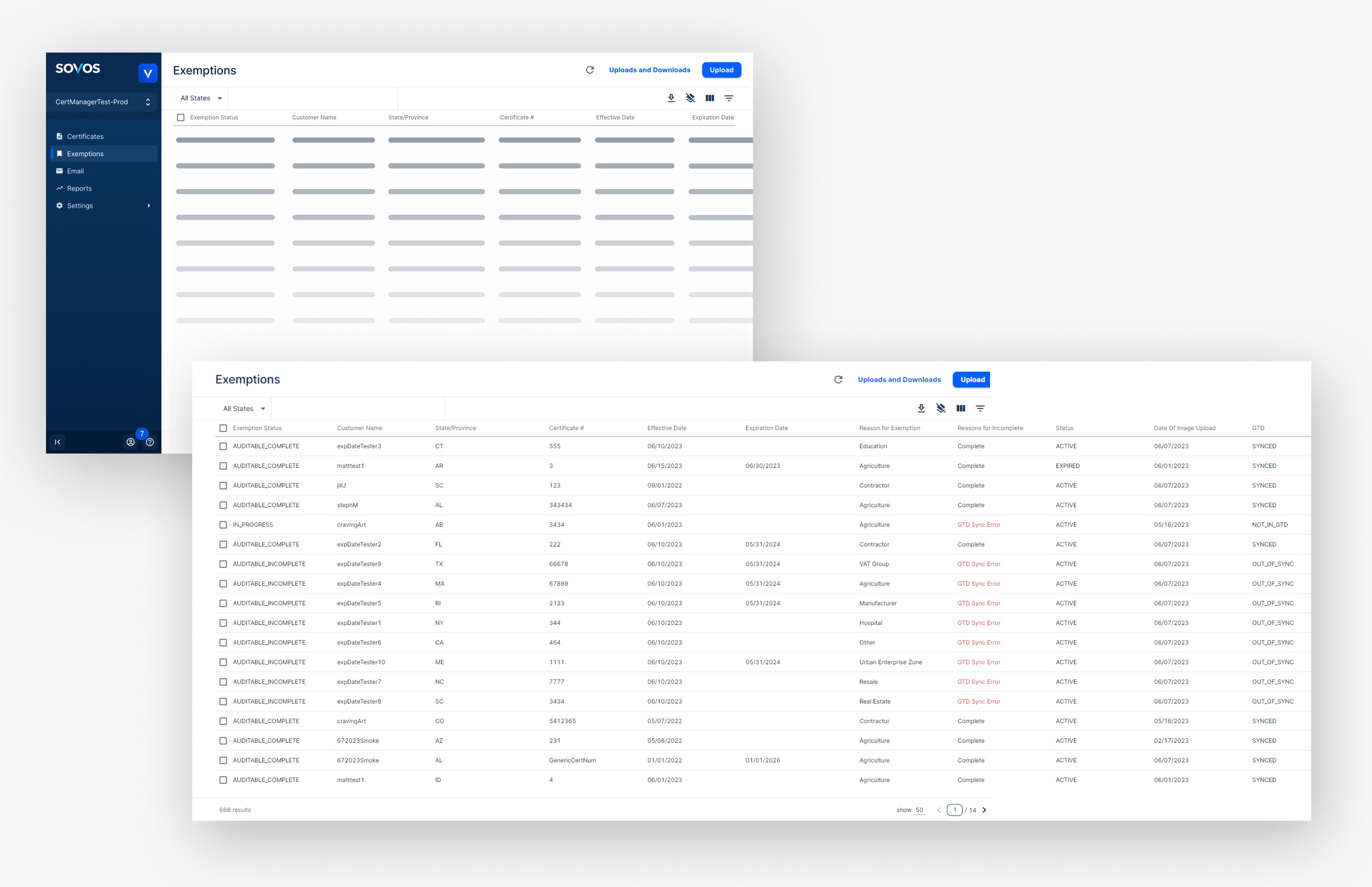
Exemptions page takes a long time to load and displays a large amount of data, much of which may not be relevant to users.
GOAL
Streamline exemptions page for managing tax exemptions
CertManager’s users are primarily businesses managing large customer volumes, making it essential for the system to be efficient for daily use.
Faster Load Time
Display Relevant Data
Streamline Workflow
Optimize page load time to improve user experience
Ensure data shown is relevant to users
Understand stakeholder needs and streamline user flow
MARKET RESEARCH
Tax exemption software audit
I conducted a competitive analysis of similar tax exemption products, including Avalara, ExempTax, and Vertex, focusing on the exemption and customer views, as these functions are closely related.
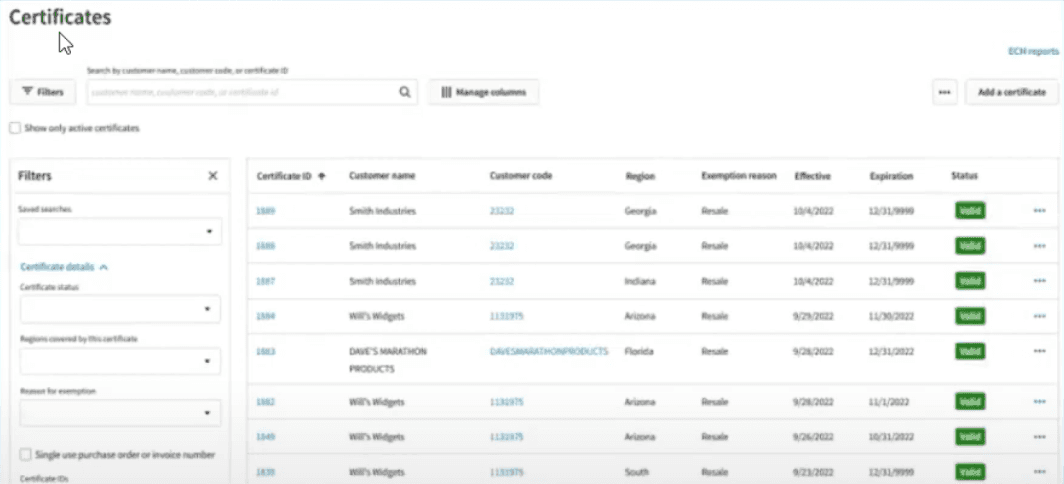
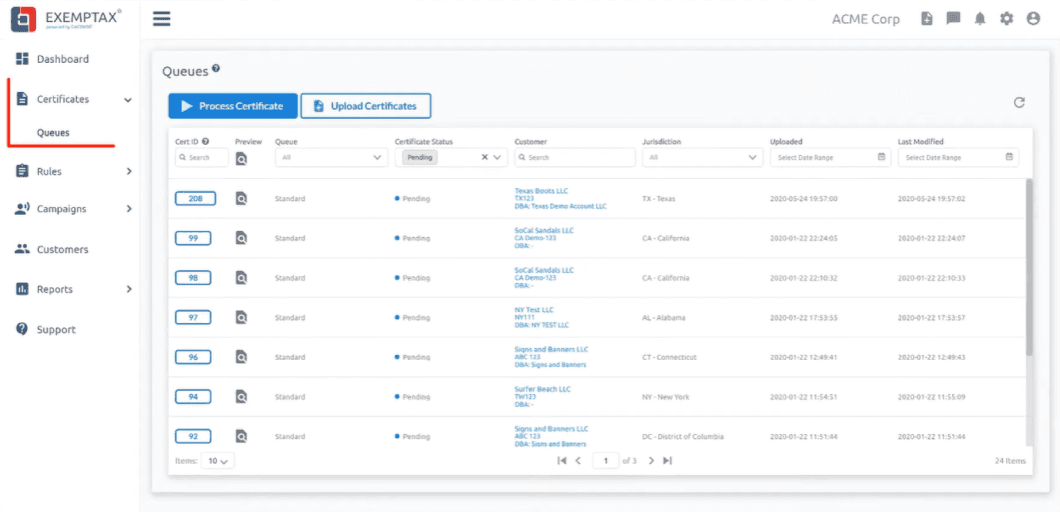
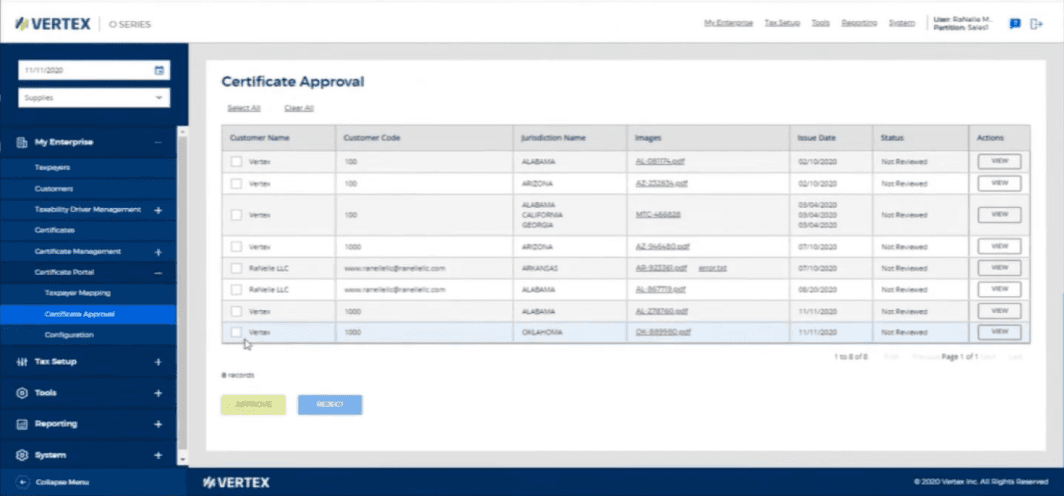
Exemption software audited
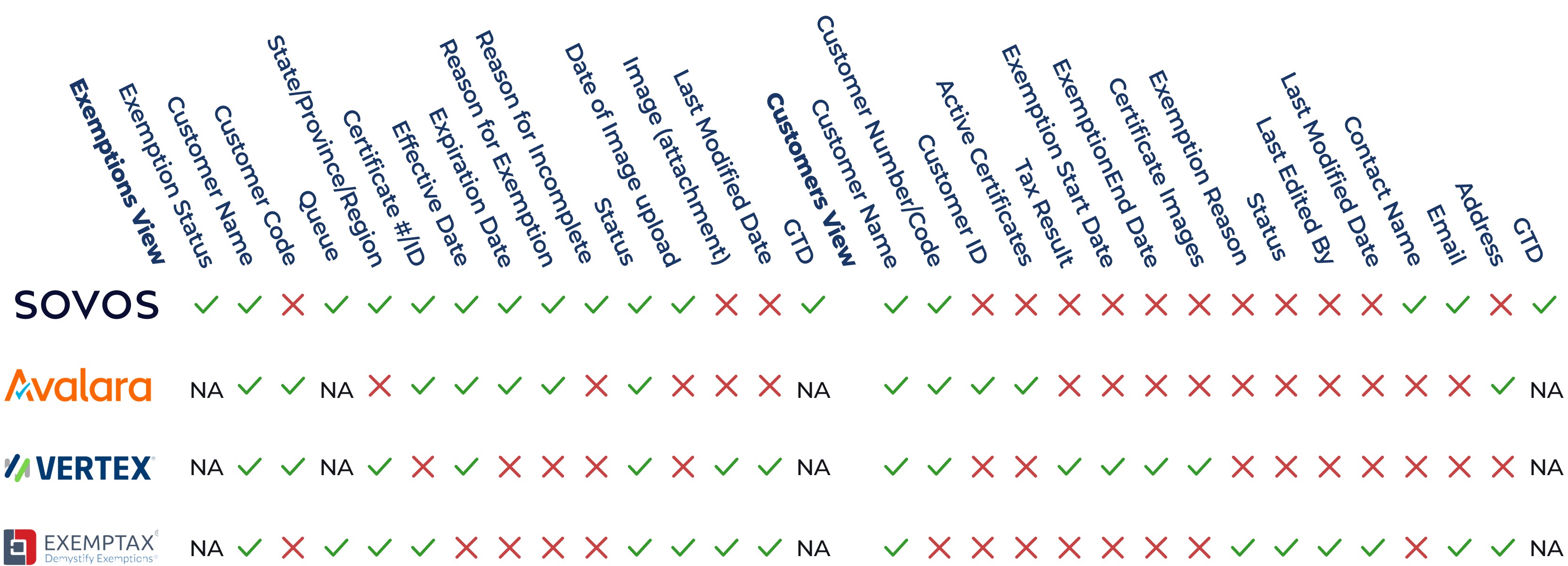
Exemptions view displays significantly more information than competitors, while Customers view varies widely across solutions.
It would be essential to identify the information most relevant to users' tasks on exemptions and customers view to optimize workflow.
UXR
Three research methods used to understand users

Interviews
Interviewed internal stakeholders from manage services and support team.
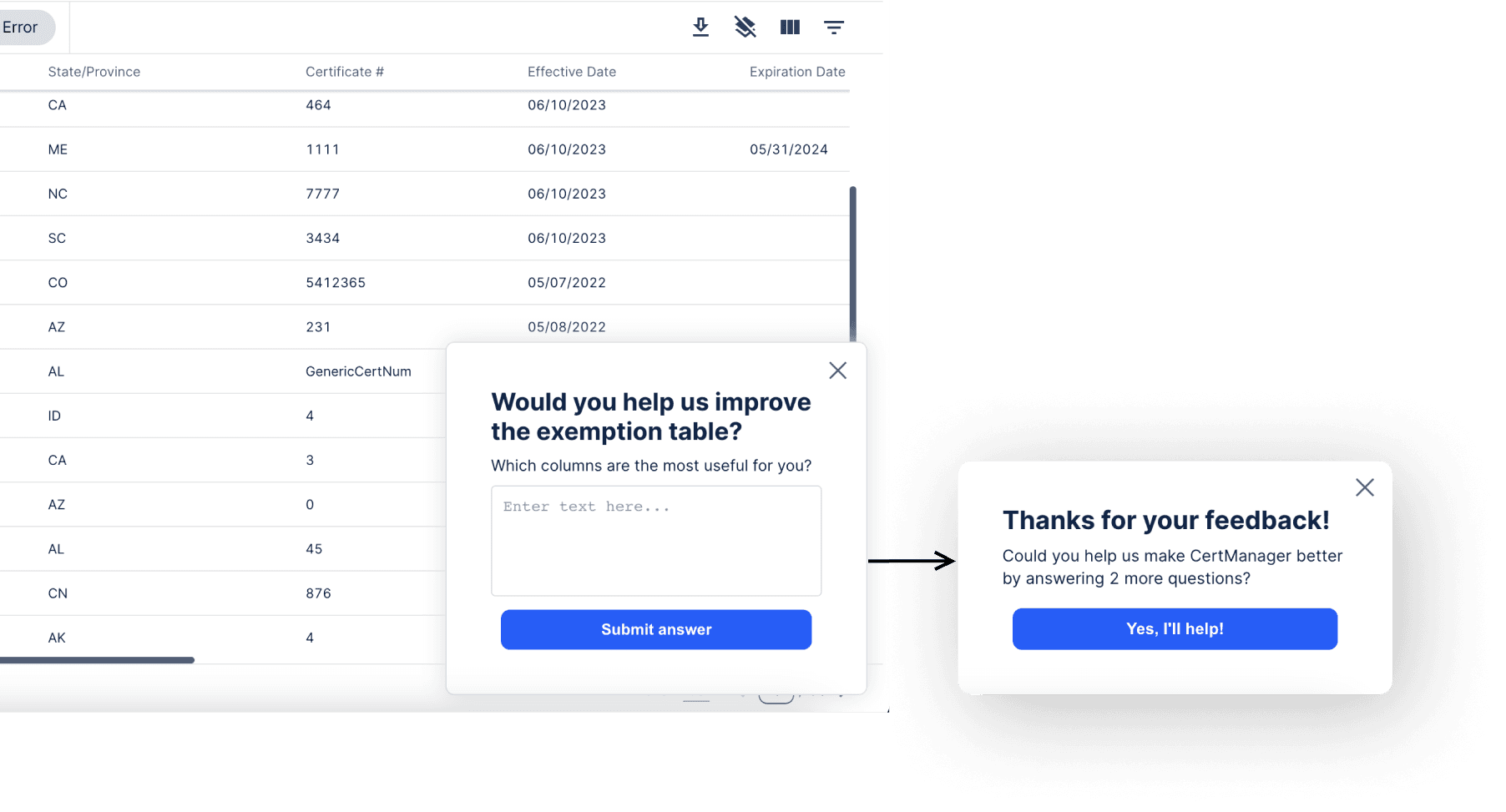
Surveys
Created a Pendo survey to identify the most useful columns and linked it to a more comprehensive SurveyMonkey survey for users to rate each column.
Heat Map Analytics
Utilized heat map analytics to understand user behavior and which columns were most commonly viewed/clicked
EXEMPTIONS VIEW INSIGHTS
Minimize columns to boost task efficiency and accelerate page load.
The primary purpose of the exemptions page is to facilitate customer exemption processing. Based on user feedback, I identified the most relevant columns for this task.
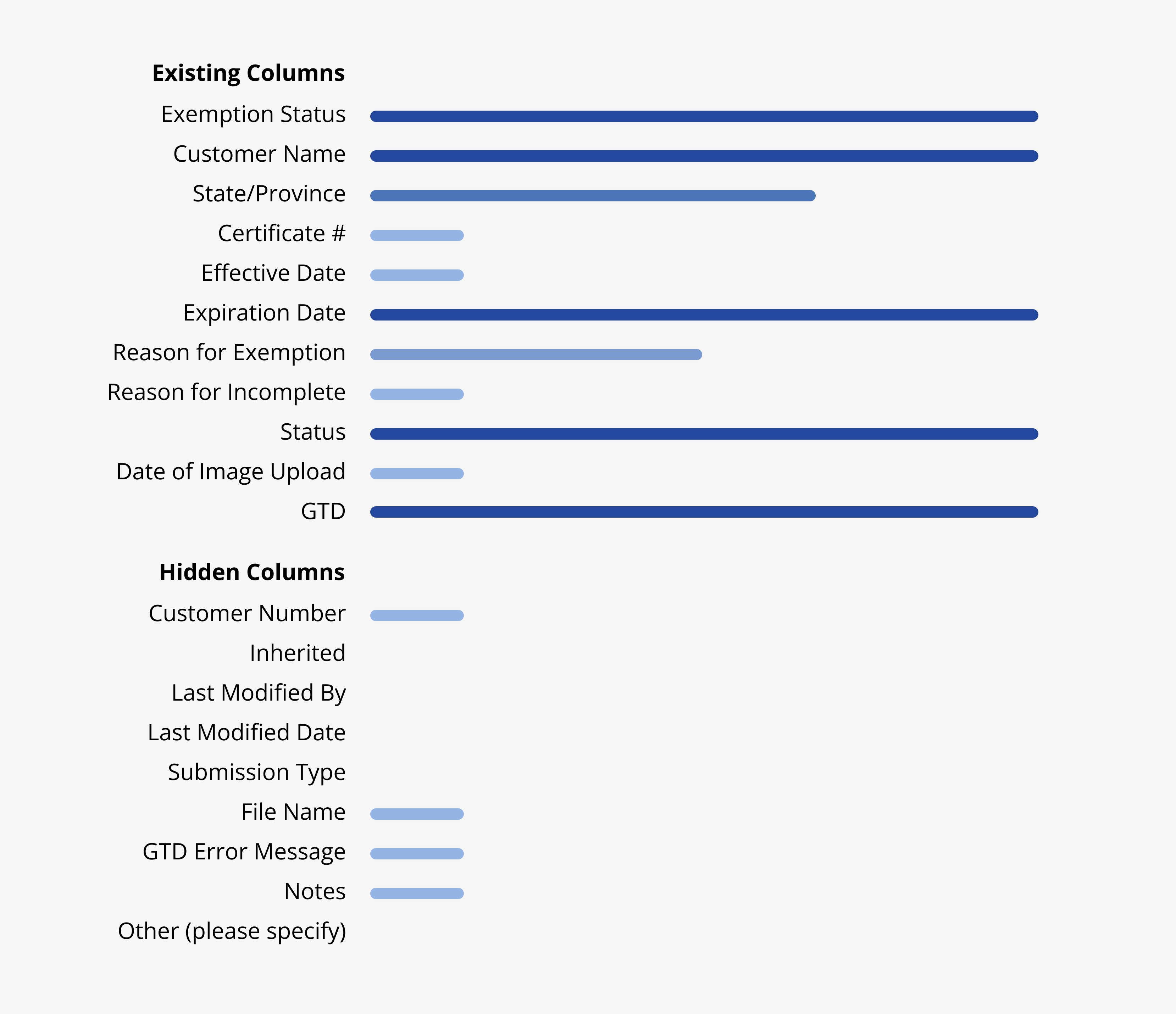
Processing Exemptions
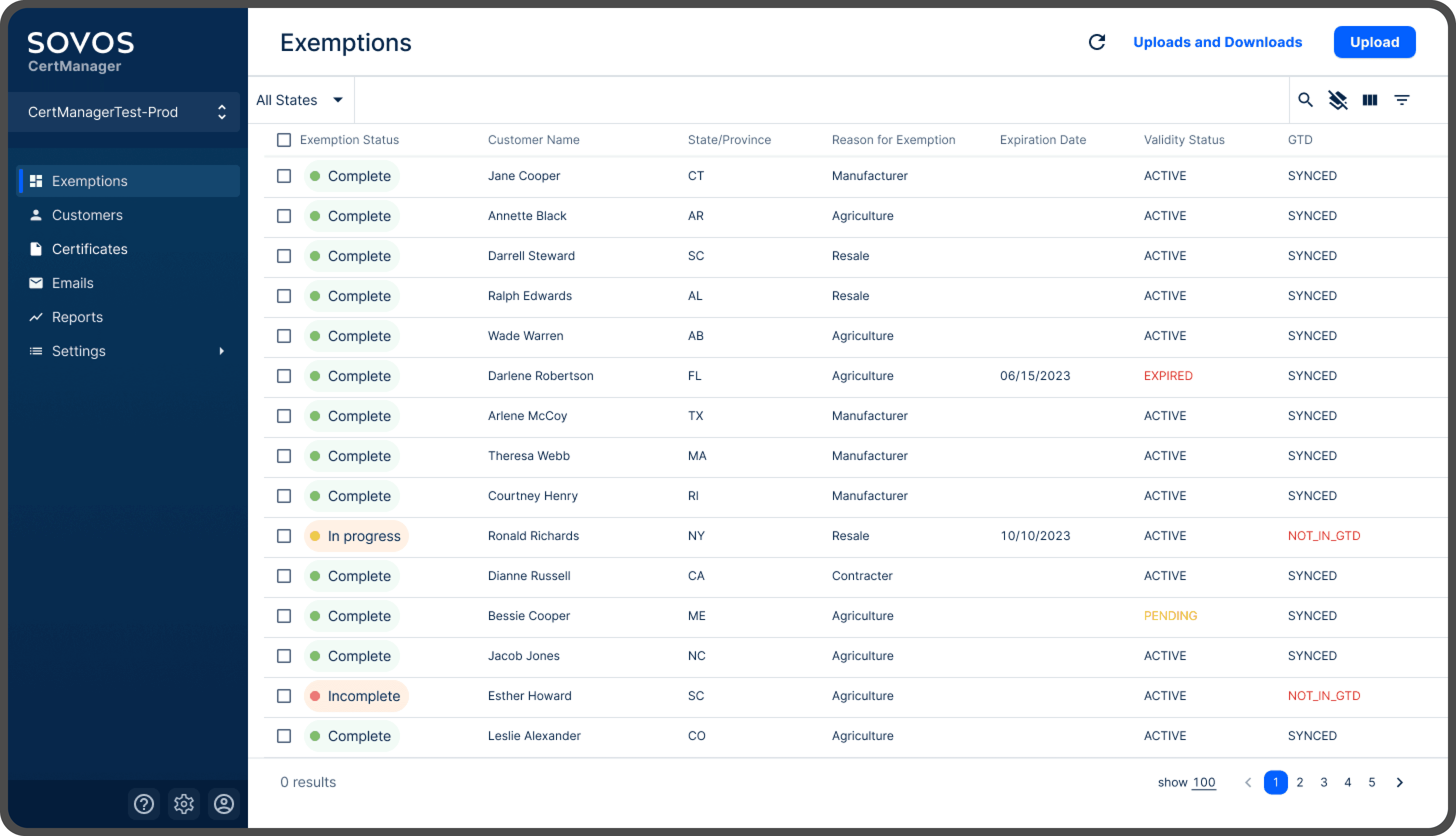
Users relied on Exemption Status, Customer Name, Expiration Date , Status (Validity), and GTD Status to see which exemptions needed updates. Occasionally, State/Province and Exemption Reason were used to identify customer location and confirm which forms were required, as regulations vary.
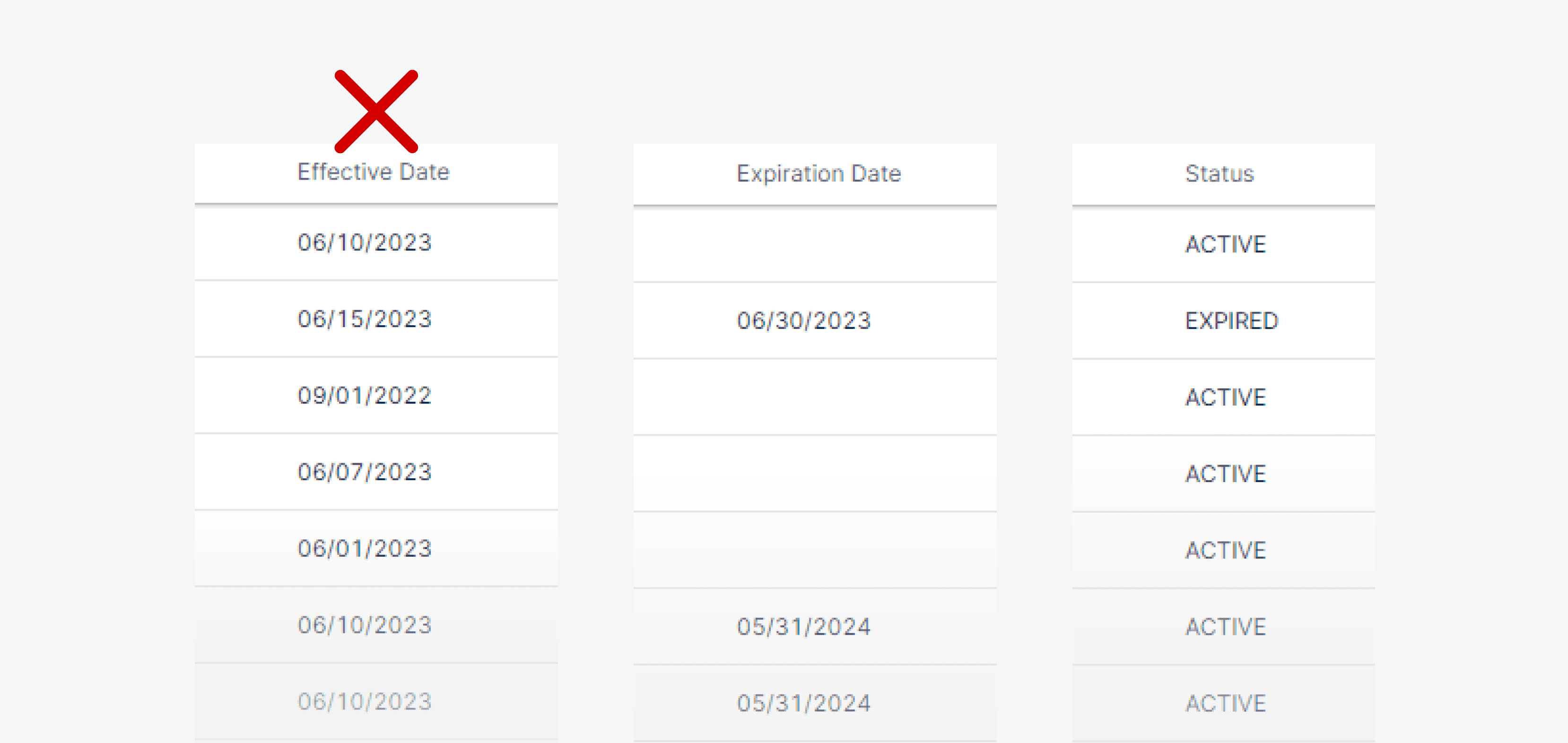
Expiration Redundancy
There are three columns related to an exemption certificate’s validity period: Effective Date, Expiration Date, and Status (Validity). Since the Status is determined by whether the current date falls between the Effective and Expiration Dates, I streamlined the information to include only the Expiration Date and Status.
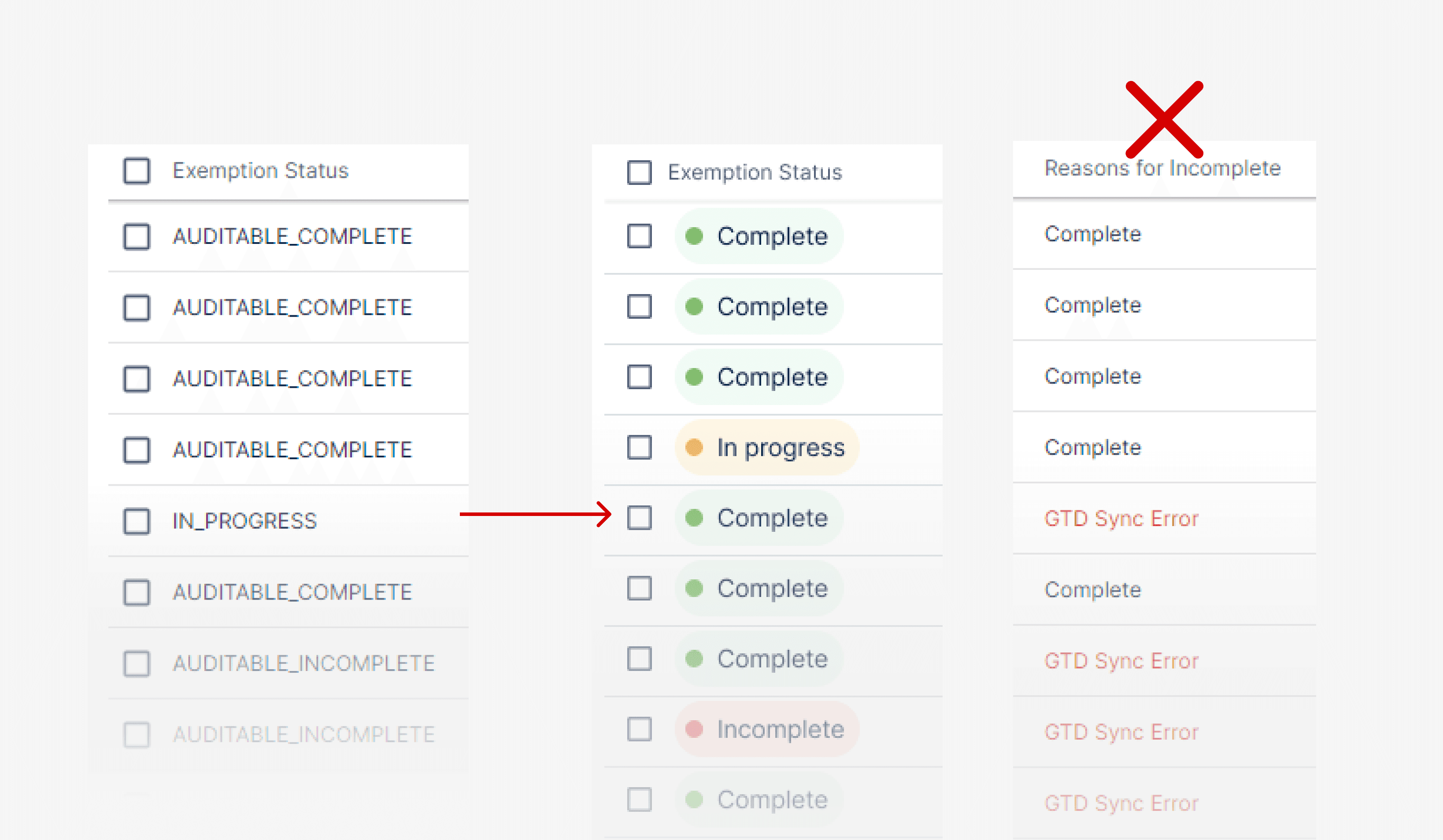
Status Confusion
The exemptions view includes numerous status indicators such as Exemption Status, Reason for Incomplete, and GTD, among others. The Exemption Status display was particularly confusing, with labels like AUDITABLE_COMPLETE, AUDITABLE_INCOMPLETE, amd IN_PROGRESS that were not intuitive for users. To improve clarity, I implemented colored labels to make it easier to quickly identify the status of each exemption. Additionally, I removed the "Reason for Incomplete" column, as it was not frequently used, and users typically clicked into exemptions for detailed information.
VISUAL DESIGN
Reimagining exemptions page for enhanced clarity
Reducing columns is a more temporary fix, data pull/joins should still be optimized
BEFORE
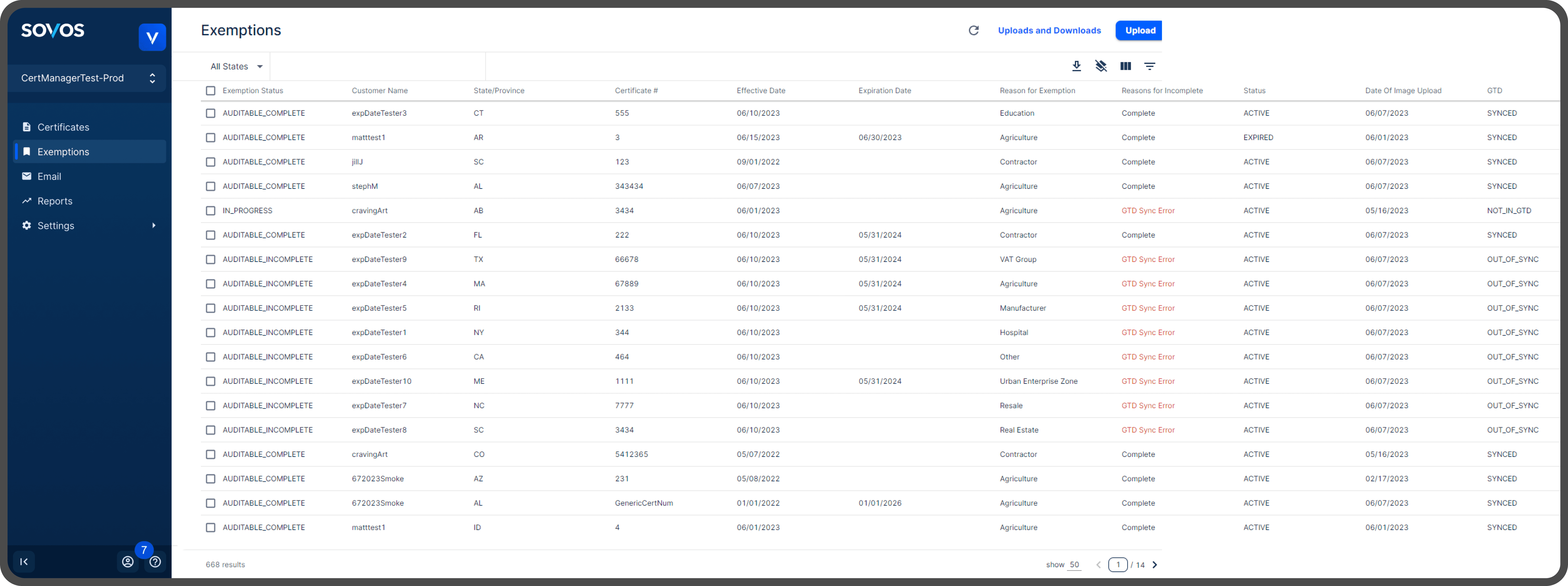
AFTER
CUSTOMERS VIEW INSIGHTS
Aligning customers view with stakeholder needs and use cases
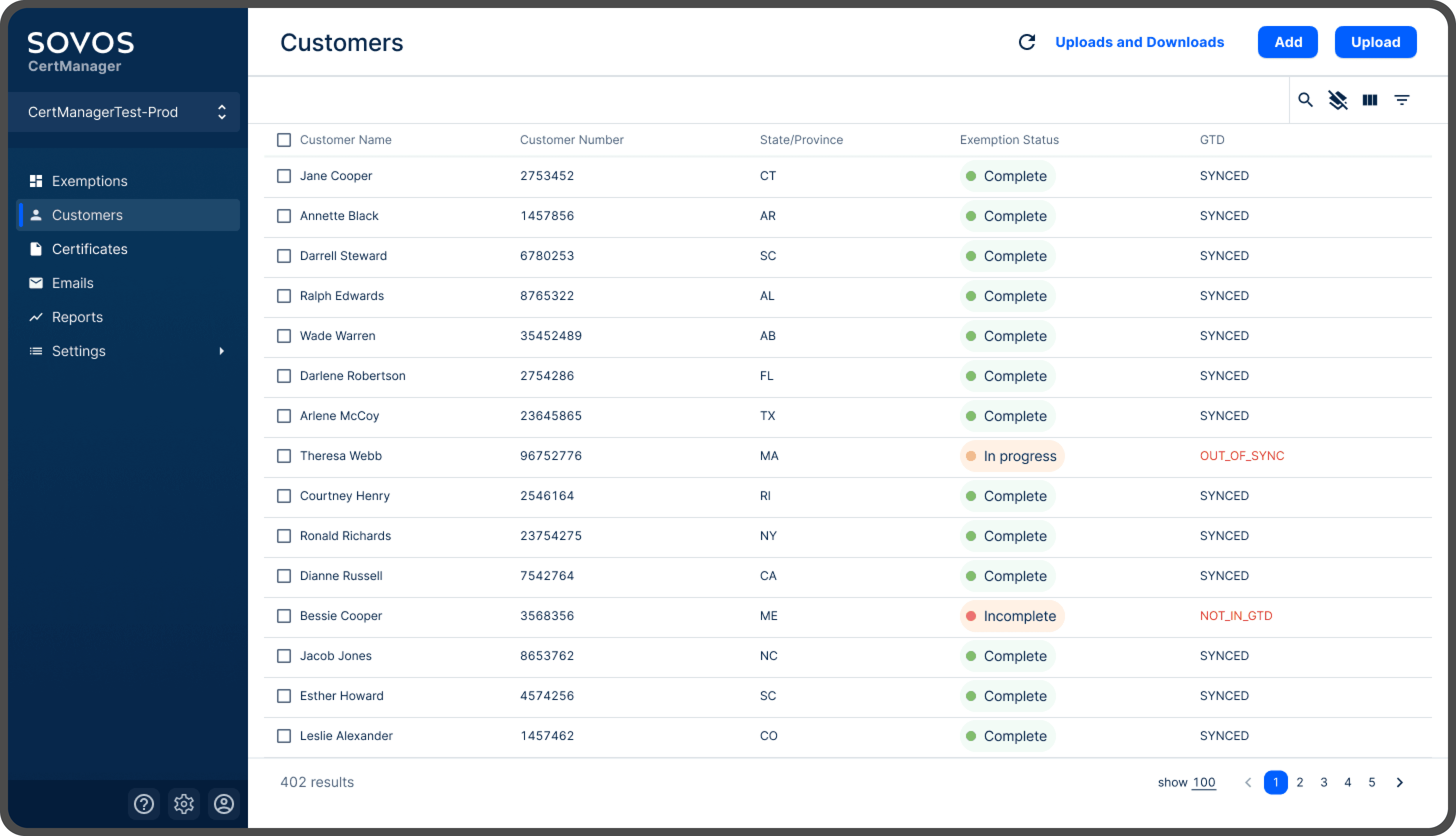
The primary purpose of the customers page is to identify customers who require action or have updates pending.
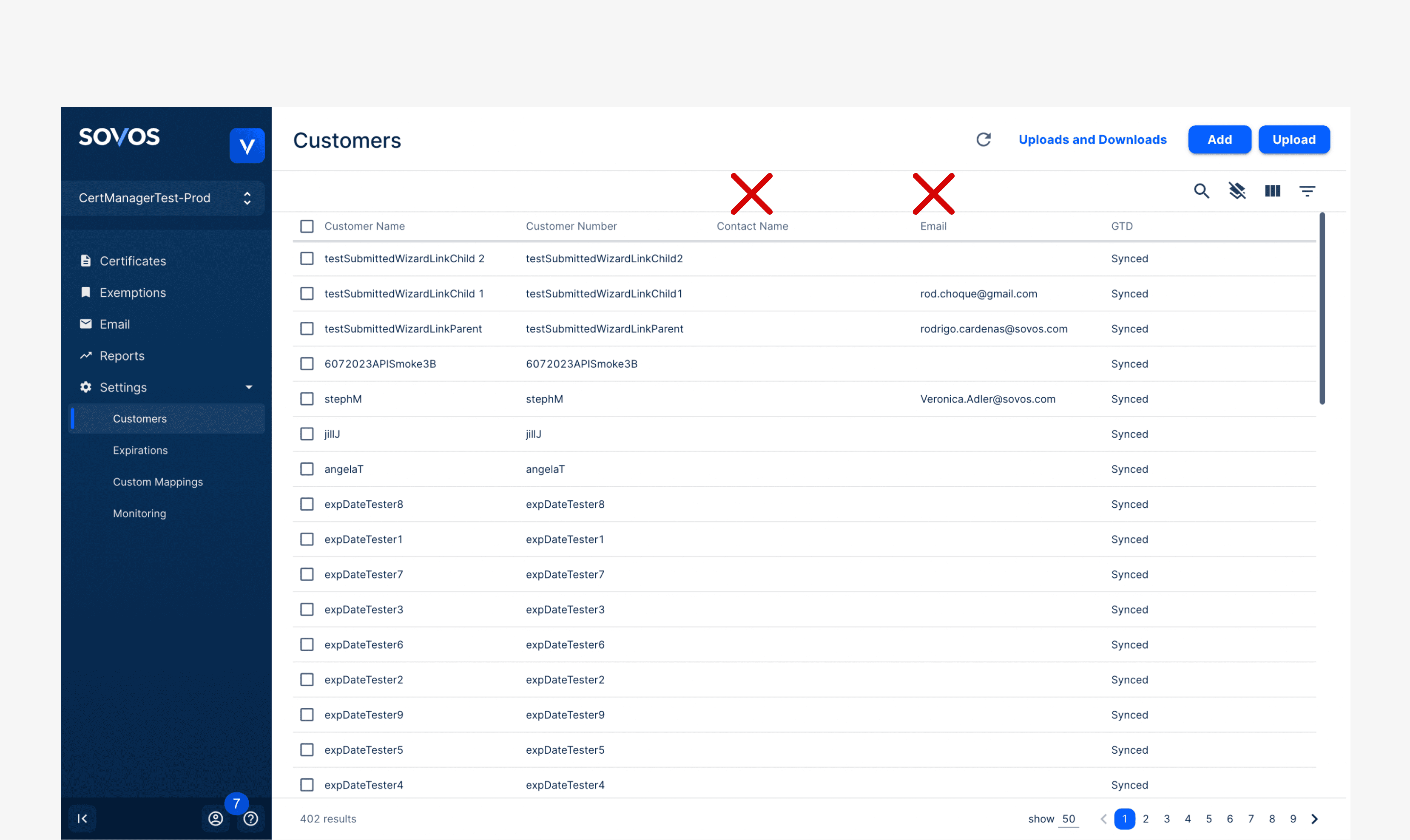
Unused Columns
Stakeholders rarely used the Contact Name and Email columns, preferring to search by Customer Name and Number, so I removed those columns and added State/Province and Exemption Status for improved relevance.
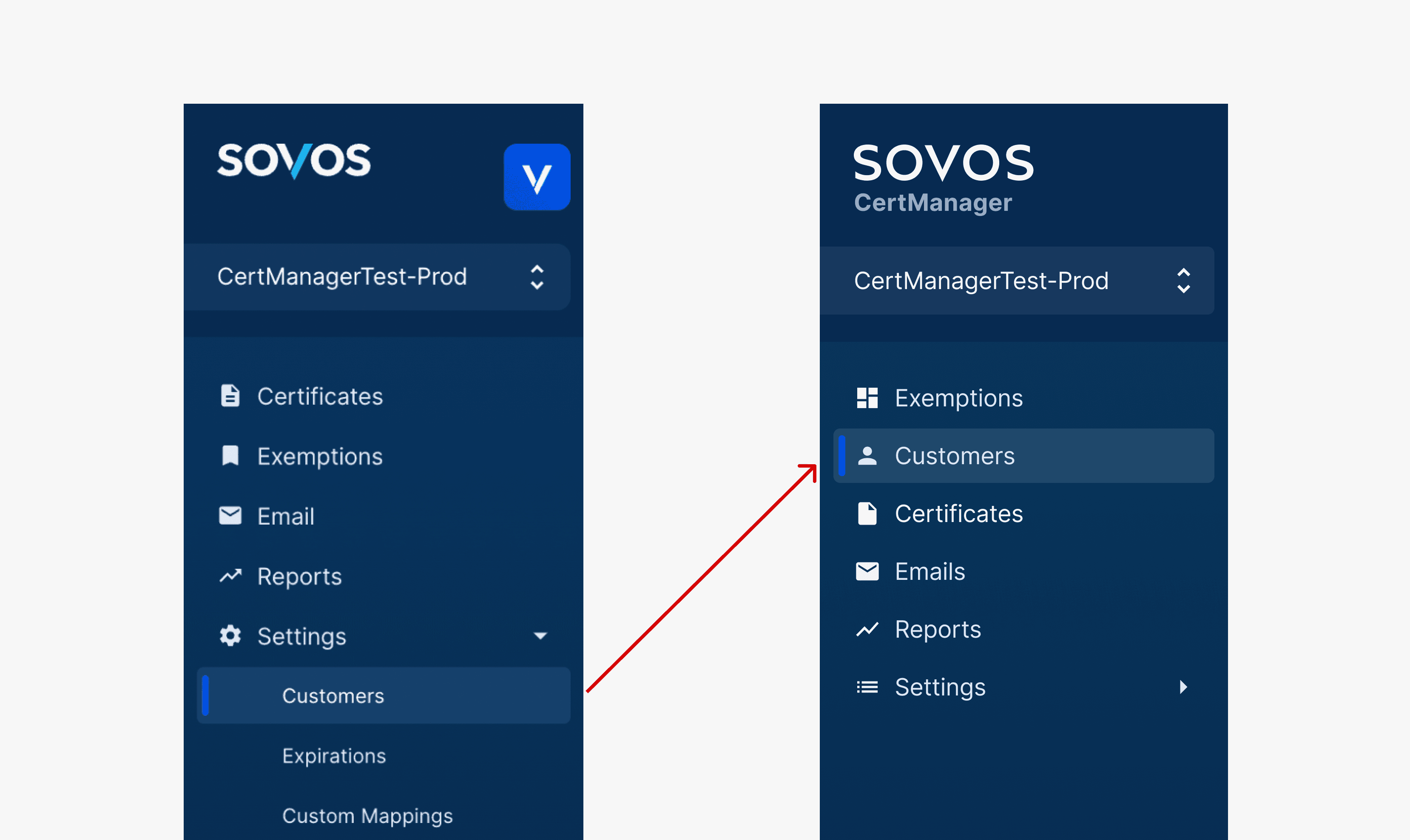
Confusing Information Architecture
Interviews revealed that placing the Customers view under 'Settings' felt confusing to users, so I relocated it as a standalone navigation item on the sidebar.
VISUAL DESIGN
Enhancing usability of customers view
Reducing columns is a more temporary fix, data pull/joins should still be optimized
BEFORE
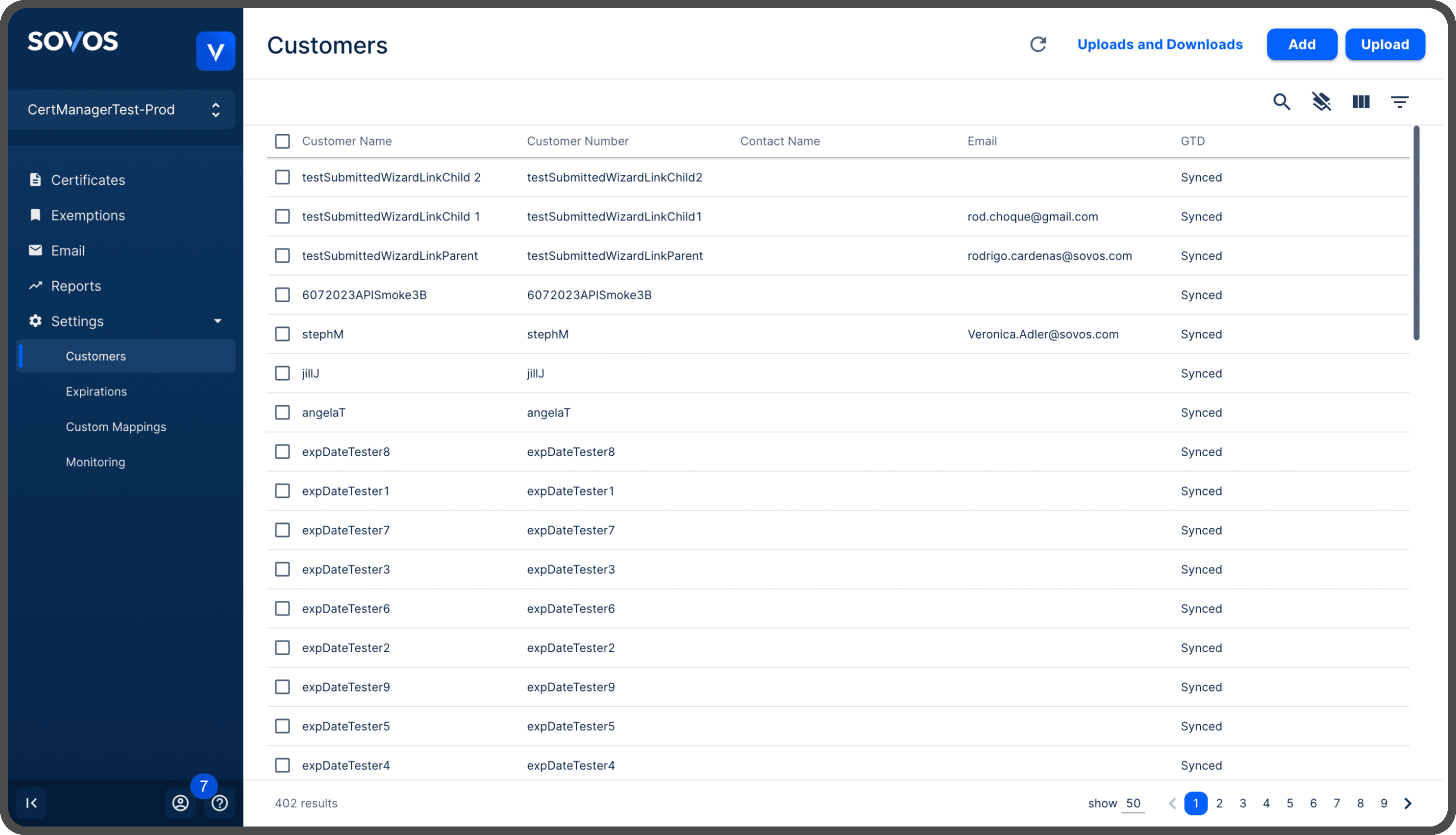
AFTER
IMPACT
50% ⬇
33% ⬇
4.2/5
Reduction in Data Joins
Reduction in Load Time
Task Ease Rating
NEXT STEPS & LIMITATIONS
Evaluating designs and testing with customers
Due to the limited time of my internship, I was unable to interview or gather feedback directly from customers/businesses. The next step would be to validate the design solution through real usage testing to ensure its effectiveness. While reducing columns is a temporary solution, optimizing data pulls and joins remains essential for long-term improvement.
Although my internship at Sovos ended before I could see the project through to completion, I provided long-term recommendations for the team to continue enhancing the product. These included:
Enable users to save multiple search and filter configurations to streamline repeated tasks.
Allow users to save customized column views on the exemptions page for different use cases.
Display parent/child items on customers view to reflect location-based or contractor hierarchies.
Improve data join run time for enhanced performance.
REFLECTION
Being crafty with UXR for B2B
The products/projects that I worked on at Sovos were B2B, so I had to be creative with finding ways to gather insight and user feedback. Interviewing customers/end users was not an option due to product nature and time constraints, thus, finding internal users was the way to go.
I discovered that when interviewing internal users (such as the service team and QA team) they are often at a standstill when asked what could be improved about the product. This makes sense as these users use the interface regularly and are experts no matter how complex the system is. I realized that it was most helpful to start with asking how they use the product and ask them to demonstrate how they usually complete certain tasks on the interface to look for pain points.
Domain knowledge and getting context
During my time at Sovos, I developed the ability to quickly acquire domain knowledge and effectively contextualize my projects. I learned that it's not necessary to fully understand every aspect of a product at the outset; instead, focusing on the project scope and asking the right questions to gain essential context allowed me to move forward efficiently and stay productive.